Web Scraping With LLMs: Markdown First, Then Structure
Web scraping with LLMs: scrape each page to clean markdown, then extract structured data against a JSON schema and validate it. With real token math.
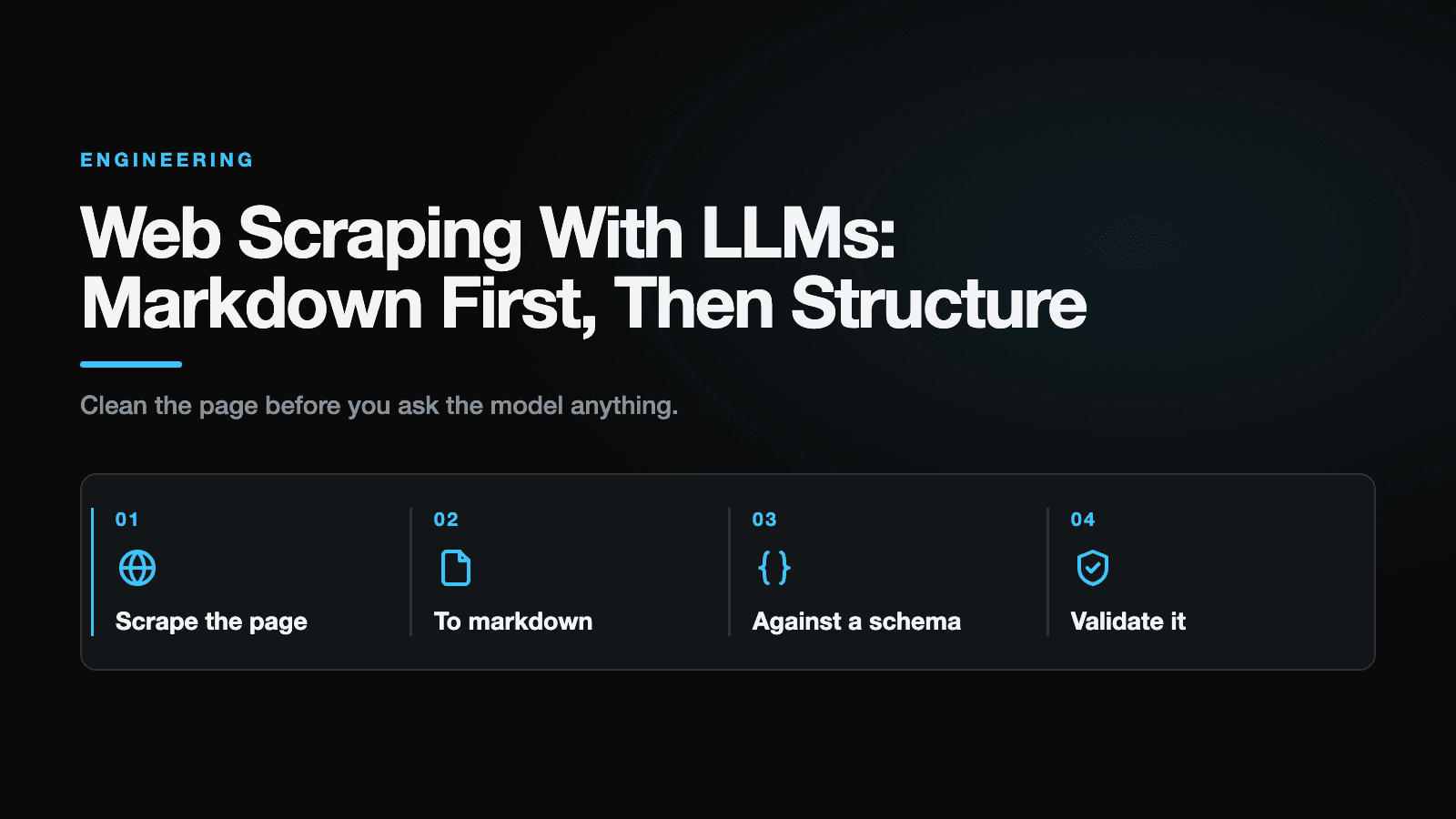
Reliable web scraping with LLMs is a two-stage job, not a single prompt. First a deterministic step fetches the page and converts its HTML to clean markdown. Then a language model reads that markdown and fills in a JSON schema you define. The markdown step alone can cut input tokens by roughly 5x, and the schema turns a vague "extract the data" request into a contract you can actually check. Skip either half and you get the two failure modes everyone hits: brittle CSS selectors that break on every redesign, or a model drowning in raw HTML that hallucinates fields and costs a fortune.
We reached for this pattern building JobMason, our tool that turns a job posting into a tailored resume and cover letter. Before it can tailor anything, it has to read the posting, and job boards are a moving target. Here's the pipeline we settled on and why each piece earns its place.
What web scraping with LLMs actually means
Web scraping with LLMs means using a language model to pull structured fields out of a page's content instead of writing rules that target specific HTML elements. You describe what you want (a title, a price, a list of required skills) as a schema, and the model returns data that fits it.
The important word is content. As a rule, the model shouldn't see the page's raw HTML. It should see a cleaned, marked-up version of the text, with the navigation, ads, tracking scripts, and styling stripped out. That cleaning is a plain engineering step, and it's what makes the LLM step cheap and accurate. The exception is a page that encodes real data in attributes or deeply nested tables, where a little targeted HTML can be worth keeping.
So the mental model is two boxes. The left box is deterministic and boring: fetch, clean, convert. The right box is probabilistic and clever: read the markdown, produce structured JSON, validate it. Keep them separate and each one gets easy to reason about.
Why not just dump the HTML into the model?
Because raw HTML is mostly noise, and you pay for every token of it.
A modern web page is a thin layer of actual content wrapped in a thick layer of markup: responsive utility classes, inline SVGs, <script> tags, cookie banners, hidden modal markup, ARIA labels, and often a large JSON-LD blob that exists only for search crawlers. None of that helps a model understand the job title on the page. All of it counts against your token bill and dilutes the model's attention.
The token difference is large. In Firecrawl's write-up on scraping to markdown, one blog post measured 16,180 tokens as raw HTML against 3,150 tokens as markdown, about an 80 percent cut. An independent benchmark that ran 20 real pages through tiktoken found a 5.3x average reduction, with an honest caveat worth repeating: edge cases exist where HTML holds structure (deeply nested tables, say) that a naive markdown conversion drops.
| Representation | Tokens, one blog post |
|---|---|
| Raw HTML | 16,180 |
| Markdown | 3,150 |
Figures from Firecrawl's benchmark on a single page. Your ratio will vary by page type; run tiktoken on your own targets.
At an illustrative $2.50 per million input tokens (roughly a mid-tier model rate in 2026, so check your own provider's price), that single page costs about $0.04 as HTML versus $0.008 as markdown. Small on its own, real once you multiply by every page you scrape, every day.
Cost is the obvious win. The quieter win is accuracy. Feed a model 3,000 tokens of clean prose and it spends its attention on the content. Feed it 16,000 tokens of div soup and it spends attention parsing scaffolding it should never have seen. Clean signal in, better structure out.
The pipeline we use
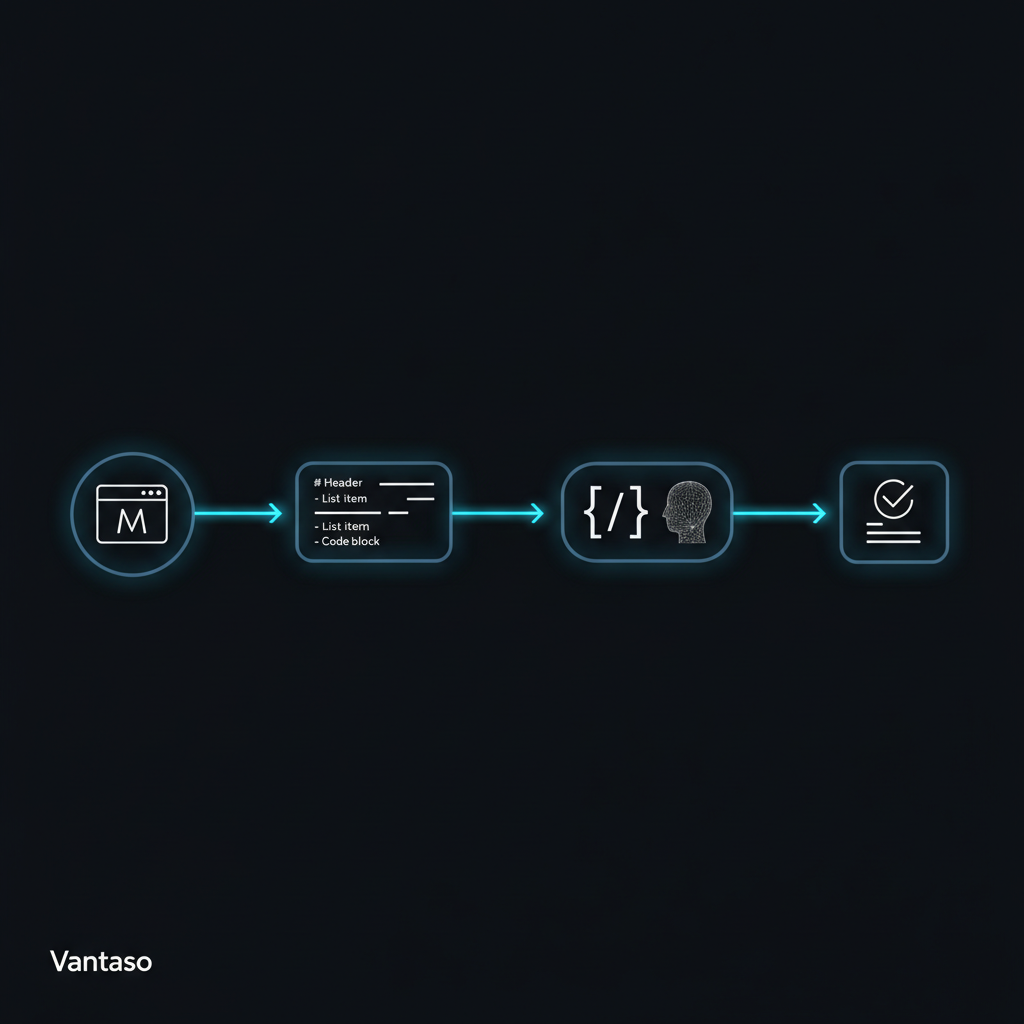
Four stages, in order. The first two are deterministic. The last two involve the model.
Step 1: fetch and clean (the deterministic half)
Get the HTML. For a static page a plain HTTP request is enough. For a JavaScript-rendered app you need a headless browser (Playwright is our default) to let the page hydrate before you read it, which means waiting for the content to settle with page.waitForLoadState("networkidle") or a waitForSelector on the field you actually need, rather than reading the DOM too early. This is the step where most scraping projects quietly rot, because sites change, add anti-bot checks, and rate-limit you, so keep it isolated and well-tested.
Then strip the obvious noise before conversion: navigation, headers, footers, sidebars, script and style tags. A readability pass (Mozilla's Readability library, the same engine behind Firefox reader mode) does most of this for you by isolating the main article node.
Step 2: convert to markdown
Now turn the cleaned HTML into markdown. Headings become #, lists become -, links keep their text and target, tables stay tabular. The visual styling is gone and the structure the model actually needs is preserved.
Markdown is the right representation for the input, and it's easy to conflate that with the output. As the format you feed the model, markdown even beats JSON: one 2026 benchmark of extraction APIs measured the same page at 11,612 tokens in markdown versus 13,869 in JSON, roughly 16 percent cheaper. JSON is what you want the model to produce, not what you want it to read.
For a very long page that still blows past your context or budget after conversion, the markdown structure gives you a clean seam: split on the headings and extract per section, then merge the results. A map-reduce over the markdown beats truncating the page and hoping the field you need survived.
Step 3: extract with a schema (the probabilistic half)
Define the shape you want and let the model fill it. Using the Vercel AI SDK, which is what we route through our provider-agnostic gateway, that looks like this:
import { generateObject } from "ai";
import { z } from "zod";

const JobPosting = z.object({
  title: z.string(),
  company: z.string(),
  location: z.string().nullable(),
  seniority: z.enum(["intern", "junior", "mid", "senior", "lead", "unknown"]),
  requiredSkills: z.array(z.string()),
  salaryText: z.string().nullable(),
});

const markdown = await scrapeToMarkdown(url); // steps 1 and 2

const { object } = await generateObject({
  model,            // a model + provider that supports structured outputs
  schema: JobPosting,
  prompt: `Extract the job posting fields from the page below.
Use null for the nullable fields when a value genuinely isn't present.
Do not guess.\n\n${markdown}`,
});
Two details matter. generateObject asks the provider for structured output and parses the result against your Zod schema, so object comes back typed and shape-checked. Whether the provider enforces the schema natively depends on the model, so pick one that supports it; otherwise the SDK falls back to a looser strategy and your validation step carries more weight. Checking that capability at runtime rather than pinning a model name is the more durable habit, and it's the heart of what routing across LLM providers does and doesn't buy you. And the instruction to return null rather than guess is doing real work: without it, a model asked for a salary that isn't on the page will happily invent a plausible one.
Step 4: validate and repair
Here's the trap. A schema guarantees the shape of the output, not its truth. generateObject already gave you a requiredSkills that is an array of strings, but a hallucinated skill is still a string, so it sails straight through the schema. Re-parsing with Zod won't catch it.
The check that does catch it is grounding: confirm each free-text value actually appears in the source markdown, and drop or repair the ones that don't.
const md = markdown.toLowerCase();

// Shape is guaranteed; provenance is not. Keep only skills that appear on the page.
const grounded = object.requiredSkills.filter((s) => md.includes(s.toLowerCase()));
const invented = object.requiredSkills.length - grounded.length;

if (invented > 0) {
  // Option A: drop the unsupported values. Option B: one repair pass:
  const { object: fixed } = await generateObject({
    model,
    schema: JobPosting,
    prompt: `Some skills you returned do not appear in the page. Return only
skills present in the text below, verbatim.\n\n${markdown}`,
  });
  return { ...fixed, requiredSkills: fixed.requiredSkills.filter((s) => md.includes(s.toLowerCase())) };
}
The sample grounds requiredSkills because a fabricated skill does the most damage here; apply the same check to the other free-text fields (title, company, location) and return the filtered record. A plain includes() is only a baseline: it can false-positive on substring collisions ("Java" inside "JavaScript") and false-negative when the model normalizes wording ("React.js" versus "ReactJS"). For anything you care about, tighten it with a word-boundary or normalized match, or ask the model to return a short verbatim evidence span per field and check that instead. Add whatever other business rules the schema can't express (a salary that parses to a negative number, a seniority the model inferred rather than read). In our experience, not a measured benchmark, a single repair pass clears most of these. If it fails twice, log the page and move on rather than shipping garbage downstream.
One more real-world wrinkle: the extraction call can also refuse, time out, or hit a provider fallback, so treat it like any other network dependency and wrap it in a timeout and a retry, not just schema validation.
JSON mode and Structured Outputs are not the same thing
This trips up a lot of teams. Plainly:
JSON mode guarantees the model returns syntactically valid JSON. That's all. The JSON can have the wrong keys, missing fields, or extra ones.
Structured Outputs goes further: you supply a JSON Schema and the response is constrained to match it. OpenAI's Structured Outputs guide is explicit that the model is designed to adhere to the schema, while also advising you to validate the output in your own application, because your downstream handling and any schema changes are still your responsibility.
The practical rule: use Structured Outputs (or your SDK's equivalent, like generateObject), and still validate for truth, not just shape. Treat the model's schema adherence as a strong default, not a contract you can stop checking.
When to skip the LLM entirely
An LLM in your scraping loop is not free. It adds token cost and latency that a querySelector call doesn't have, and converting to markdown adds a pre-processing step before the model even runs. That overhead is a fine trade when pages are messy and change often. It's a bad trade when they aren't.
| Consideration | CSS selectors / APIs | Markdown + LLM + schema |
|---|---|---|
| Survives layout changes | Poorly | Well |
| Cost per page | Near zero | Token cost |
| Latency | Low | Higher (a model call) |
| Messy, varied pages | Struggles | Handles well |
| Best fit | One stable, high-volume source | Many varied or changing sources |
If you're scraping a single site with a stable structure a million times a day, write the selectors. They're faster, cheaper, and deterministic, and when they break they break loudly. Reserve the LLM for the case it's genuinely good at: pulling consistent fields out of pages that don't share a consistent structure. And for small pages the token savings shrink, so convert by default but don't treat it as sacred.
What we learned building JobMason
Job postings are the messy-and-varied case in its purest form. Every board renders them differently, the same company posts the same role in three layouts, and boards ship redesigns without warning. Our early instinct was selectors per source, and it aged badly: a layout change on one site meant a broken parser and a scramble to fix it.
Moving to markdown-plus-schema changed the failure shape. In our experience, when a board redesigns the markdown shifts a little but the fields are still there, and the model still finds them, so layout changes that used to break a parser now often pass through without a fix. The schema is only half the safety net, though. It guarantees the shape, not the truth, so a hallucinated skill would pass it untouched. The grounding check is what actually protects the output: because we ground the free-text fields (the skills list most of all) against the source markdown, an occasional invented requirement gets dropped before it reaches the resume the user sends.
We're not claiming the LLM path is cheaper per page than a selector that already works. It isn't. What it buys is resilience across a long tail of sources we don't control, and far less maintenance, which for a small team is the cost that actually hurts. This kind of tradeoff, resilience and maintenance versus raw per-call cost, is the sort of call we make constantly in the AI-driven software we build at Vantaso for clients and in our own products, JobSieve and JobMason.
Tools worth knowing
You don't have to build the deterministic half yourself. A few options and when each fits:
- Firecrawl turns a URL into LLM-ready markdown or structured data through an API, and can be self-hosted. A good default when you'd rather not run the fetch-and-clean half at all.
- Crawl4AI is an open-source crawler aimed at clean, LLM-ready output, for when you want to self-host and keep full control of crawling.
- llm-scraper is a TypeScript library that extracts structured data from a page with an LLM and a schema, a fit when you want the extraction living in your own code.
- ScrapeGraphAI combines LLMs with graph logic to map a schema or natural-language description onto page content.
It's also an active research area, with new benchmarks probing how reliably models extract structured data from real pages.
Common questions
Is markdown or HTML better for feeding an LLM?
Markdown, in almost every case. It carries the structure the model needs (headings, lists, links, tables) while dropping the markup it doesn't, which cuts tokens by several times and helps the model focus on the real content. Keep HTML only when a page encodes data in attributes that a markdown conversion would drop.
Do I still need CSS selectors if I use an LLM?
Sometimes. For one stable, high-volume source, selectors are cheaper, faster, and deterministic, so use them. Bring in the LLM when you're extracting from many pages that don't share a layout, or from sites that redesign often enough to keep breaking your selectors.
What's the difference between JSON mode and Structured Outputs?
JSON mode only guarantees the output is valid JSON. Structured Outputs constrains the output to a JSON Schema you supply, so it adheres to the shape you asked for. Use Structured Outputs when you care about specific fields, and validate the result regardless.
How do I stop the model from inventing fields?
Tell it to return null when a field isn't present, make optional fields nullable, and then ground the output: check each extracted value against the source text and drop or repair anything that isn't there. Schema validation alone won't catch a hallucinated value, because a made-up string is still a valid string.
Which tool should I use to scrape to markdown?
If you want a managed API, Firecrawl is a solid default. If you'd rather self-host, Crawl4AI or a Playwright-plus-Readability setup gives you full control. The right answer depends on volume, budget, and how much of the pipeline you want to own.
Whatever you pick, web scraping with LLMs comes down to the same shape: clean the page deterministically, convert to markdown, extract against a schema, and ground what comes back. A good next step is concrete: run tiktoken on ten of your real target pages and compare the HTML and markdown counts. That gap is usually the whole argument. If you'd rather have a team that's shipped this before build it with you, that's the kind of work we do at Vantaso (vantaso.org, or contact@vantaso.org).
Sources
- Scraping a page to markdown converts HTML into text an LLM can read without spending tokens on markup; one blog post measured 16,180 tokens as raw HTML versus 3,150 as markdown, about an 80% cut.
- A tiktoken benchmark of 20 real web pages found a 5.3x average token reduction from HTML to markdown, with the caveat that some pages hold structure a naive markdown conversion drops.
- As an input format, markdown was roughly 16% cheaper in tokens than JSON for the same page in a 2026 benchmark (11,612 versus 13,869 tokens).
- OpenAI Structured Outputs constrains model output to a supplied JSON Schema and advises validating the result in your application; JSON mode only guarantees valid JSON, not schema adherence.
- Converting HTML to markdown adds pre-processing latency, offset by cheaper and faster LLM inference on the smaller input.
- llm-scraper is a TypeScript library that extracts structured data from a webpage using an LLM and a schema.
- Crawl4AI is an open-source crawler that produces clean, LLM-ready output and can be self-hosted.
- ScrapeGraphAI combines LLMs with graph logic to map a schema or natural-language description onto page content.